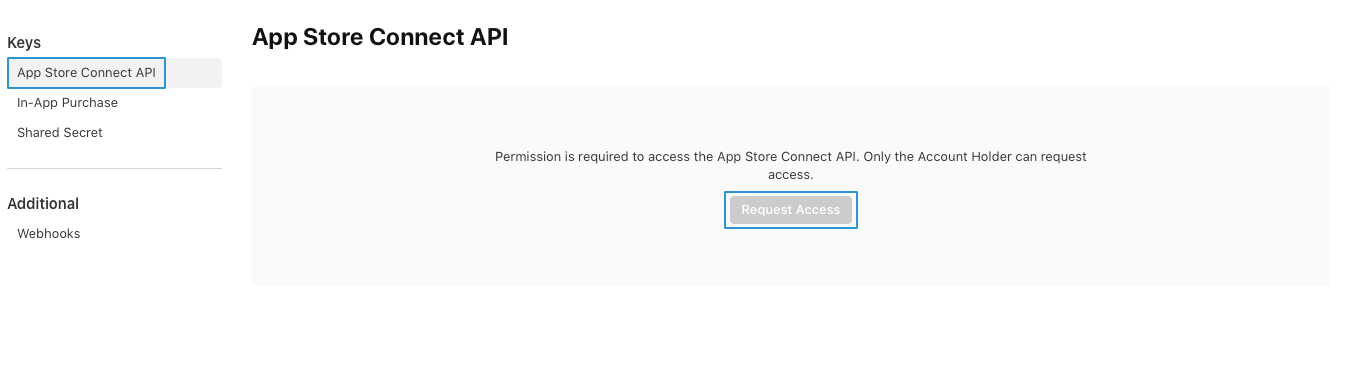
publisherCreating API KeysOn this pageCreating API Keys for automatic upload to App Store Connect and Play Console mos.publisher requires an API key each for the automatic upload of the app to the Apple App Store (App Store Connect) and Google Play Store (Play Console). Different scenarios Depending on whether you have already downloaded an API key and just need to upload it to mos.publisher, or whether you need to start from scratch and create a new API key, you may skip some of the instructions by selecting your scenario below: API key not yet created API key created but not downloaded API key created and downloaded warningPlease note that each API key can only be downloaded once. If you have already downloaded your API key but no longer have access to it, you must create a new API key and should strongly consider revoking the old one. Therefore, make sure that you store the API key securely and remember where you have saved it. Create a new API key Apple iOSGoogle AndroidnoteBefore you can access the App Store Connect-API, you need permission. Only the account holder of the Apple account can request access.Currently, mos. only supports team keys. To generate a team key, you need an admin account in App Store Connect. Log in to App Store Connect. Go to Users and Access in the header. Go to the Integrations tab. Go to App Store Connect API in the left sidebar. Select the Team Keys tab. Click on the Generate API Key or the + button. Enter a name for the key. Select the role for the key under Access. Click on the Generate button. Log in to the Google Cloud Console. Click on Select a project in the header. Click on New Project in the top right corner of the pop-up. Enter a name for your project. Click on the Create button. Go to APIs & Services > Library in the left navigation bar. Search for Google Play Android Developer API. Click on the matching result. Click on the Enable button. Go to IAM & Admin > Service Accounts in the left sidebar. Click on Create service account. Enter Google Play as the Service account name. Click on the Done button. Click on ⋮ > Manage keys under Actions for the account you just created. Go to the Keys tab. Click on Add key > Create new key. Select JSON in the pop-up. Click on the Create button. noteA pop-up should open confirming that the private key has been successfully downloaded. Click on the Close button in the pop-up. Go to Service Accounts in the left sidebar. Click on the Copy to clipboard icon next to the Service Account Email under Email. Log in to the Google Play Console. Go to Users and Permissions in the left sidebar. Click on the Invite new users button. Paste the Service Account Email address you copied in the Email address field. Go to the Account permissions tab under Permissions. Select Admin (all permissions). Click on the Invite user button. Click on the Send invite button. Continue with Download the API key. Download the API key Apple iOSGoogle Android Log in to App Store Connect. Go to Users and Access in the header. Go to the Itegrations tab. Go to App Store Connect API in the left sidebar. Select the Team Keys tab. Download the API key by clicking on Download API Key. noteIf you do not see the Download button, the API key has already been downloaded previously. In this case, you must create a new API key and should strongly consider revoking the old one.noteThe API key is automatically downloaded when it is created. If you no longer have access to it, you must create a new API key and should strongly consider revoking the old one. Continue with Upload the API key. Upload the API key Log in to the mos.portal. Select your project from the dropdown list in the header. Go to Publisher > Apps in the left sidebar. Select your app. Apple iOSGoogle Android Go to the iOS tab. Upload the Apple API key under point 4 API key for automatic upload to the Apple App Store. Go to the Android tab. Upload the Google API key under point 4 Google Play store API key.